Mismatch one: signal level
A passive guitar pickup puts out roughly 100–300 millivolts of "instrument level" — stronger than a microphone's whisper, far weaker than the "line level" a synth or CD player sends. A laptop's 3.5mm mic input is tuned for the whisper end of that range: it applies a boost designed for tiny signals, so your guitar either slams into ugly clipping on loud strums or sits buried under hiss at normal playing.
An interface's instrument input is designed around exactly that middle level, with a gain knob to trim it up or down. The pickup's signal lands in the converter's sweet spot instead of fighting the wrong side of a compromise.
Mismatch two: impedance — the muffled-tone killer
This is the one nobody explains and everyone hears. A passive pickup is a coil of wire — electrically delicate — and it needs to "see" a very high input impedance (around 1 megohm) to keep its treble. A mic input presents roughly 10–20 kilohms. Plugged into that, the pickup gets loaded down: high frequencies bleed away and the guitar sounds like someone threw a blanket over the amp.
That's what the "Hi-Z" or "INST" button on an interface input does — it presents that ~1MΩ load so the pickup breathes. It's the difference between hearing your guitar and hearing a wet-cardboard version of it, and it's the reason a 30-cent ¼"-to-3.5mm adapter can never be a real answer.
Mismatch three: latency
Even with a clean signal in, onboard laptop audio was never built to be played through in real time. The signal has to pass through the operating system's general audio stack — designed for YouTube and notifications — get processed, and travel back out to your ears. On built-in audio that round trip typically takes 50–200 milliseconds: at that delay, your hands feel like they're playing a video call, not an instrument.
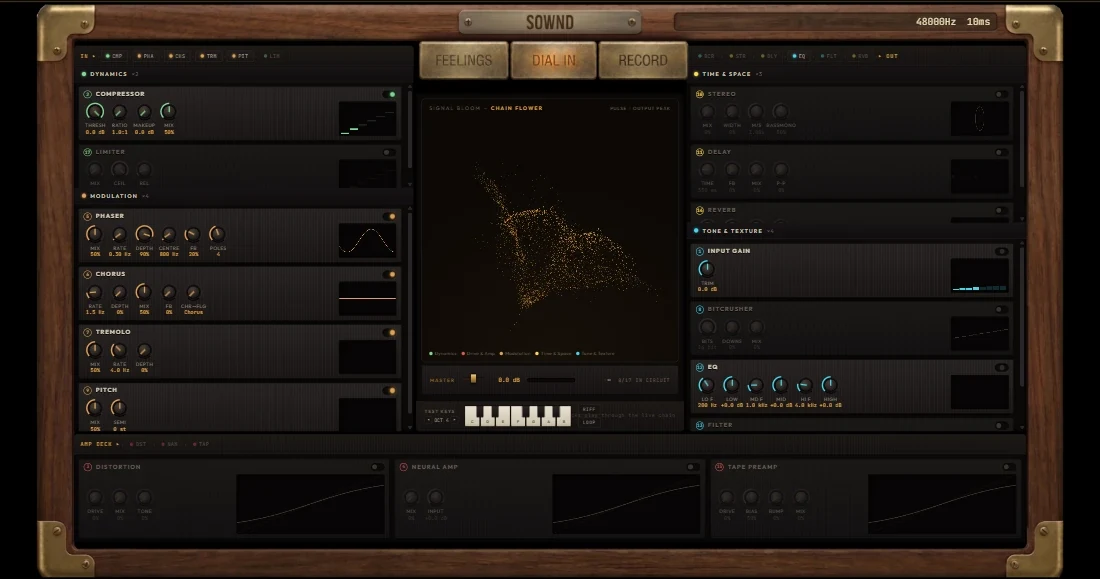
Interfaces ship with dedicated low-latency drivers that cut the round trip to single-digit or low-double-digit milliseconds — the point where the brain stops noticing. This is what makes playing an amp sim in a browser viable at all: the interface gets the signal to SOWND fast, the DSP is fast, and your ears get it back inside the window where it still feels like one motion.
The workarounds, honestly scored
¼"-to-3.5mm adapter in the mic jack
Technically makes noise. Fixes none of the three mismatches — expect quiet, dull, delayed, hissy audio. Fine for "does this cable work", useless for playing.
USB guitar cable (~€15)
A minimal interface hidden inside a cable. Fixes all three problems to a basic degree — the honest budget answer for trying browser amp play before spending real money.
Multi-FX pedal or modeling amp with USB
BOSS Katana, Line 6, Positive Grid Spark and friends already ARE interfaces inside. If you own one, check its USB port before buying anything.
Proper audio interface
Fixes all three properly, scales with you (vocals, second instrument, monitors), and its drivers decide your real-world latency. Anything from ~€45 up.
The correct chain, in one line
Guitar → instrument cable → interface Hi-Z input → USB → browser (SOWND is the amp) → interface headphone out → headphones or monitors. Every hop has one job, and the interface is the only hop that both conditions the signal and keeps it fast.
If you have the interface and a browser, you are one allowed-microphone prompt away from playing. That is the entire setup SOWND assumes — no driver configuration, no DAW, no plugin scan.
Try it while you read
Open the free Bare Wire tone in another tab — follow the steps live.
Quick answers
Can I use a USB microphone instead?
For an acoustic guitar or a miked amp — yes, the mic already contains its own little interface. For plugging a cable into an electric, no: it solves nothing about the pickup's electrical needs.
My PC has a blue "line in" — is that better?
Marginally, but still wrong: line inputs expect line level (strong, already-amplified signals) and still present a low impedance to the pickup. Dull tone remains — and latency on onboard audio is still the killer.
Does a pedal between guitar and PC fix it?
Only if the pedal has a USB output — then it IS the interface. A regular analog pedal between guitar and mic jack changes the signal but not the mismatches.
Is the interface the latency bottleneck then?
Usually not — once you have any real interface, driver settings (buffer size) and the rest of your chain matter more than the box. That's a different rabbit hole: our latency guide covers the tuning.